Movie Recommendations (MovieLens)
This tutorial demonstrates how to configure a recommendation engine using the 100k-MovieLens dataset. The dataset contains 100,000 ratings from approximately 1000 users on 1700 movies. This example uses the local table connector; the same approach applies to other supported connectors.
CLI Setup
Install the CLI
pip install shaped
Shaped supports Python 3.8 to 3.11. See installation instructions if you need to install pip.
Initialize the CLI
shaped init --api-key <YOUR_API_KEY>
If you don't have an API key, see How to get an API key.
Data Preparation
Download the dataset
wget http://files.grouplens.org/datasets/movielens/ml-100k.zip --no-check-certificate
unzip ml-100k.zip
The dataset contains three tab-separated files:
ml-100k/u.data: Ratingsml-100k/u.user: Usersml-100k/u.item: Movies
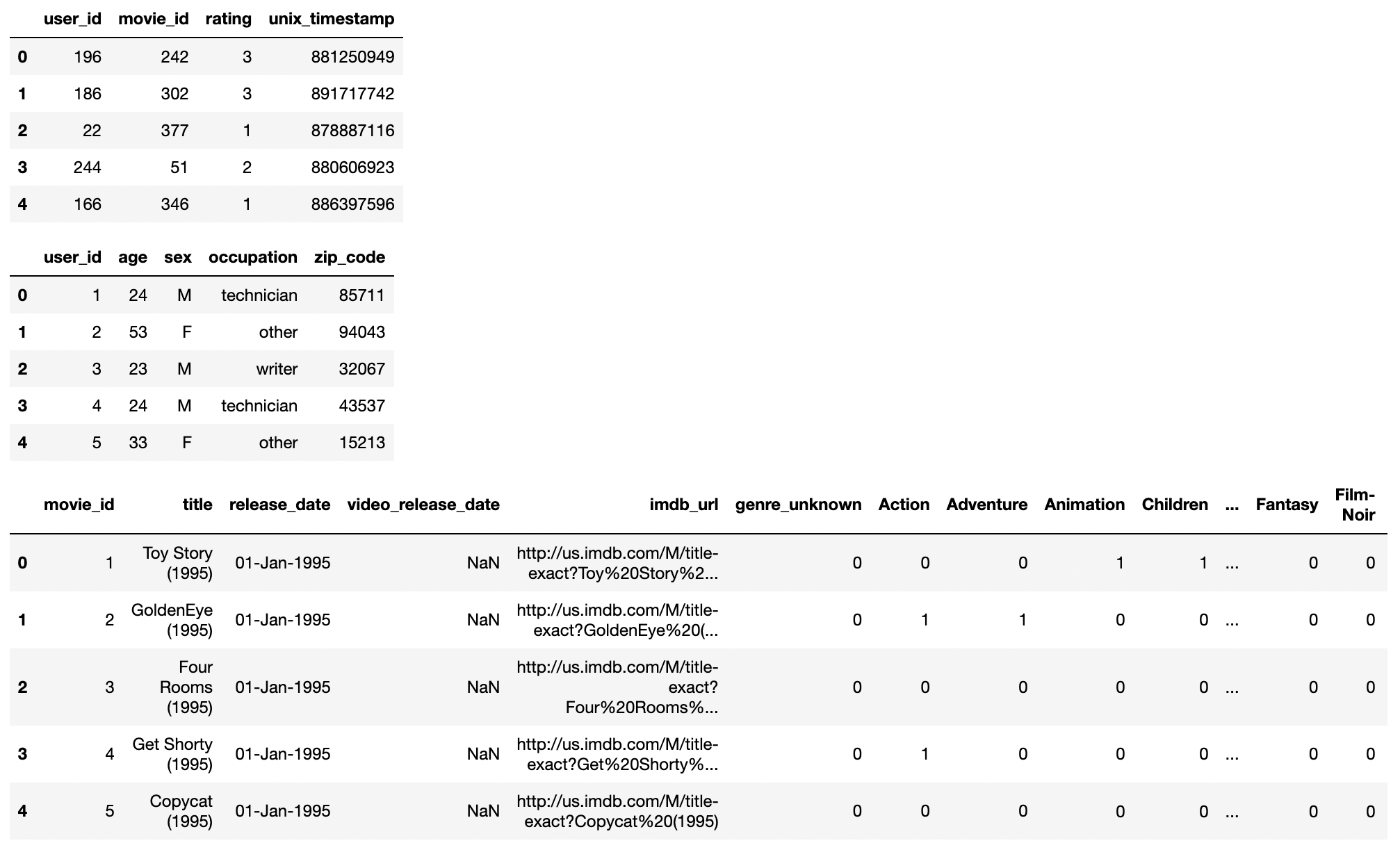
The TSV files lack headers, which are required. Add a header to the ratings file:
(echo -e "user_id\titem_id\trating\ttimestamp"; cat ml-100k/u.data) > ml-100k/u.data_with_header
This tutorial uses only interaction data. To include user and item data, follow the same pattern. See the notebook for an example.
Create the table
Create a table and insert ratings using create-table-from-uri:
shaped create-table-from-uri --name movielens_ratings --path ml-100k/u.data_with_header --type tsv
Records upload in batches of 1000. Wait until all 100k records are uploaded.
Create the engine
This example uses ratings to build a collaborative filtering engine. Higher ratings indicate stronger user preference.
Engine configuration:
data:
  interaction_table:
    type: query
    query: |
      SELECT user_id, item_id, timestamp AS created_at, rating AS label
      FROM movielens_ratings
training:
  models:
    - name: als
      policy_type: als
Create the engine:
shaped create-engine --file movielens_movie_recommendations.yaml
For details on engine configuration, see Engines documentation.
Monitor engine status
Engine creation and training can take several hours, depending on data volume and attributes. Check status:
shaped list-engines
Response:
[
    "engines": {
        "created_at": "2023-03-18T19:17:51 UTC",
        "engine_name": "movielens_movie_recommendation",
        "engine_uri": "https://api.shaped.ai/v2/engines/movielens_movie_recommendation",
        "status": "FETCHING",
    }
]
The engine progresses through these stages:
SCHEDULINGFETCHINGTRAININGDEPLOYINGACTIVE
Once the status is ACTIVE, the engine is ready for queries.
Query recommendations
Query recommendations using the Query endpoint. Provide a user_id and the number of results to return.
Using the CLI:
shaped query --engine-name movielens_movie_recommendation \
  --query "SELECT * FROM similarity(embedding_ref='als', limit=50, encoder='precomputed_user', input_user_id='\$user_id') LIMIT 5" \
  --parameters '{"user_id": "1"}'
Response:
{
   "results": [
      {
         "id": "427010",
         "score": 0.9
      },
      {
         "id": "182094",
         "score": 0.8
      },
      {
         "id": "332874",
         "score": 0.7
      },
      {
         "id": "827918",
         "score": 0.3
      },
      {
         "id": "403528",
         "score": 0.2
      }
   ]
}
The response contains an array of result objects with movie IDs and scores.
Using the REST API:
curl https://api.shaped.ai/v2/engines/movielens_movie_recommendation/query \
  -H "x-api-key: <API_KEY>" \
  -H "Content-Type: application/json" \
  -d '{
    "query": "SELECT * FROM similarity(embedding_ref=''als'', limit=50, encoder=''precomputed_user'', input_user_id=''$user_id'') LIMIT 5",
    "parameters": {
      "user_id": "1"
    }
  }'
Clean up
Delete the engine when finished:
shaped delete-engine --engine-name movielens_movie_recommendation