Building a Personalized HackerNews "For You" Feed
This tutorial demonstrates how to build a personalized "For You" feed for HackerNews. It covers:
- Building a web client for HackerNews
- Setting up a backend with Supabase for data caching and authentication
- Ingesting post and event data into Shaped
- Defining a ranking algorithm that combines popularity, recency, and content-based personalization
- Integrating the personalized feed into the web client
The result is a configurable, real-time "For You" feed. See hn.shaped.ai for a live example.
This tutorial is divided into two parts: building the client and building the feed.
Part 1: Building the HackerNews Client
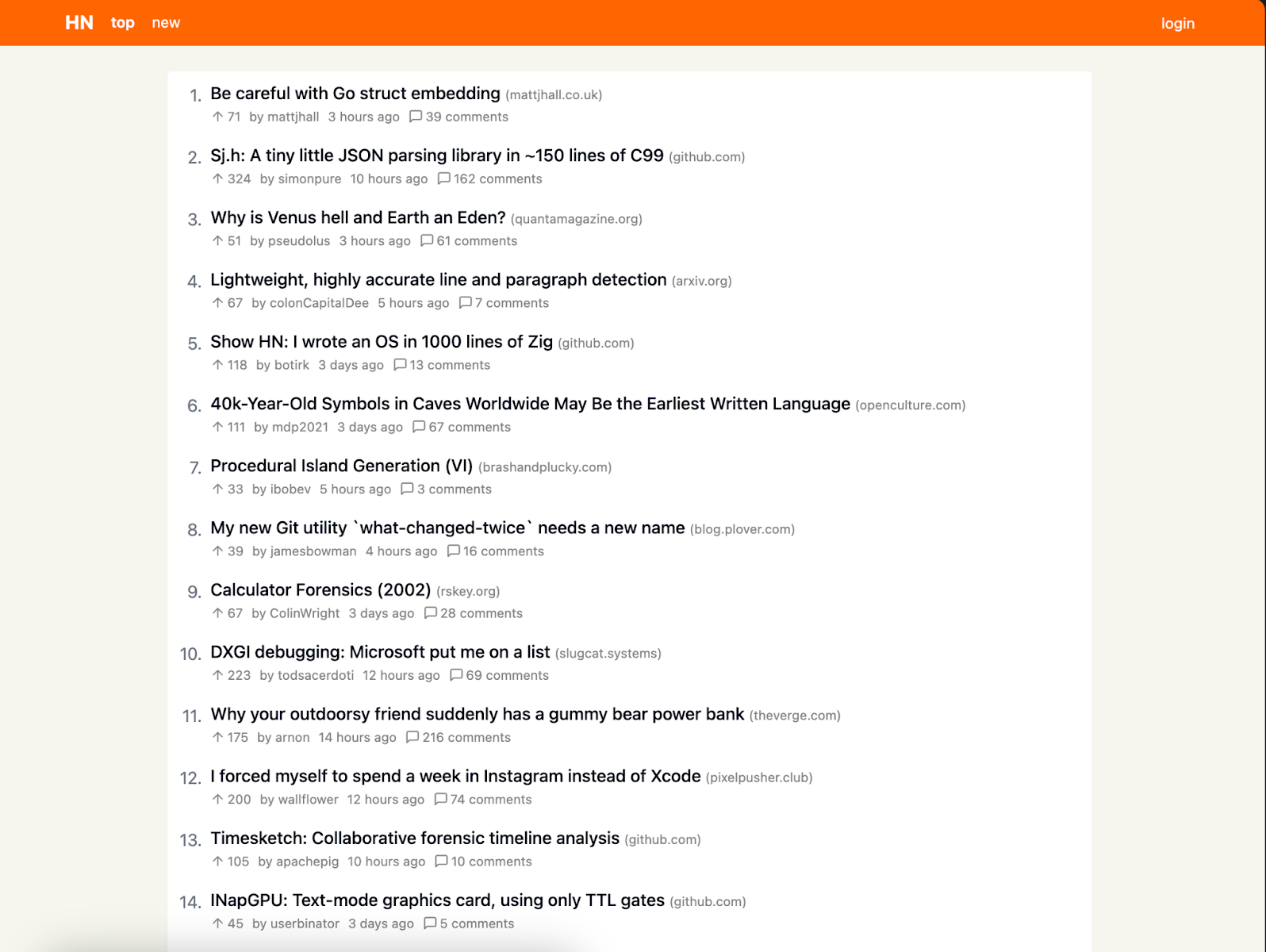
Create a functional HackerNews client that can be enhanced with a personalized feed.
Step 1: Generate the base client
Use an AI code generation tool such as lovable.dev to generate the initial client:
- Navigate to lovable.dev
- Enter:
"Can you build me a clone of HackerNews with a top and new feed?"
The generated client pulls data from the public HackerNews API.
The initial client may be missing:
- Pagination beyond the first page
- Full mobile support
- User authentication for login and upvoting
Step 2: Add authentication and user actions
The official HackerNews API is read-only. To handle user actions (login, upvotes), use the unofficial REST API with a backend to handle CORS. This example uses Supabase.
- Add a backend using your AI assistant. It may suggest Supabase edge functions.
- Set up Supabase: Create an account and link it to your project. The assistant generates an
hn-proxyedge function for authentication and POST requests. - Create a database: Set up a serverless Postgres database in Supabase with two tables:
posts: Cache post data for performance and use as features in the ranking engineevents: Store user actions (favorites) as the personalization signal
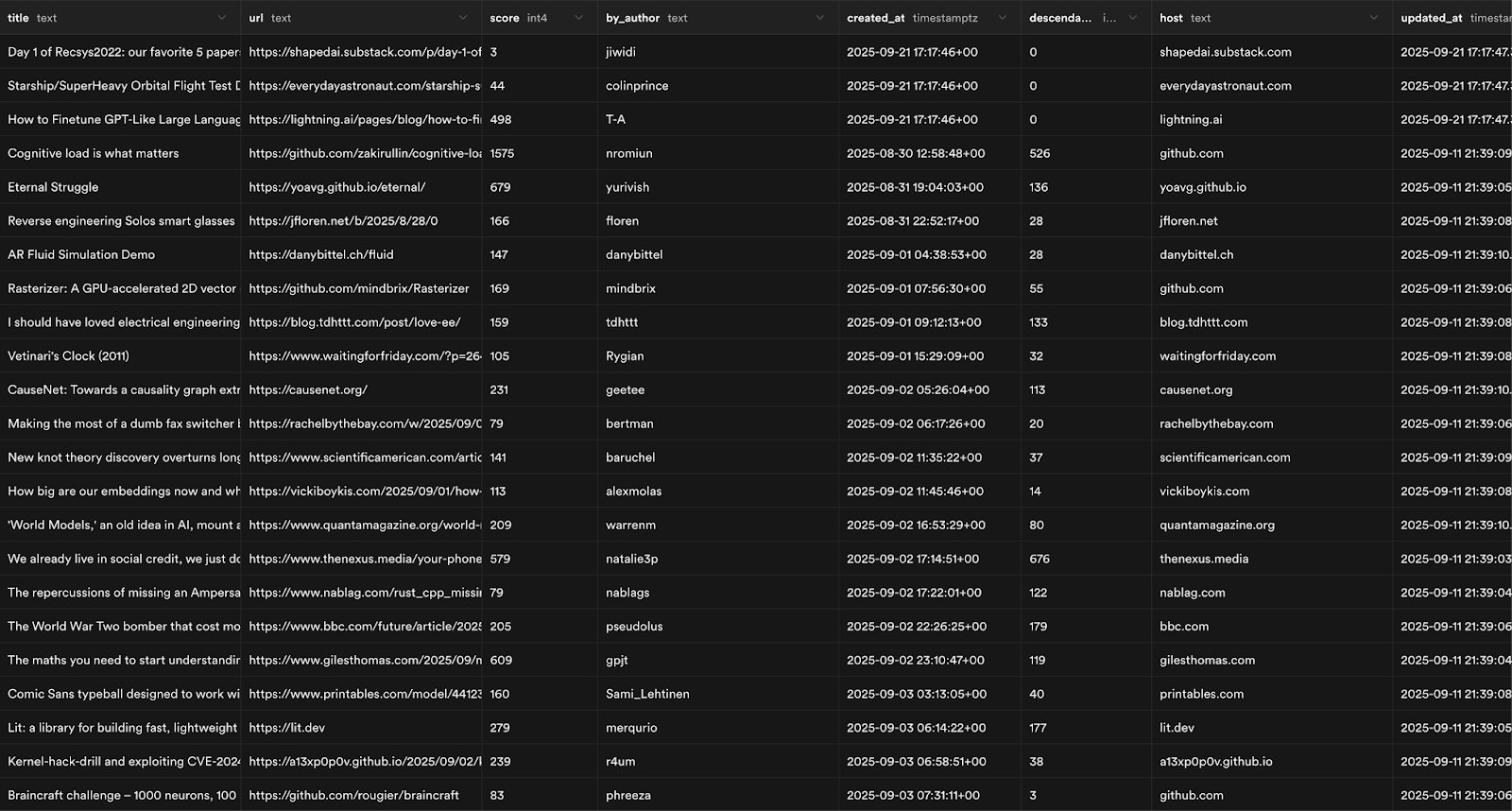
The posts table includes fields such as url, score, and published_at, which are used as features for ranking.
Step 3: Polish the client
Enhance the user experience:
- Ensure upvotes are colored and persist across pages
- Add skeleton UIs for loading states
- Prevent duplicate posts from being saved
You should have a functional HackerNews client with authentication ready for the next step.
Part 2: Building the "For You" Feed with Shaped
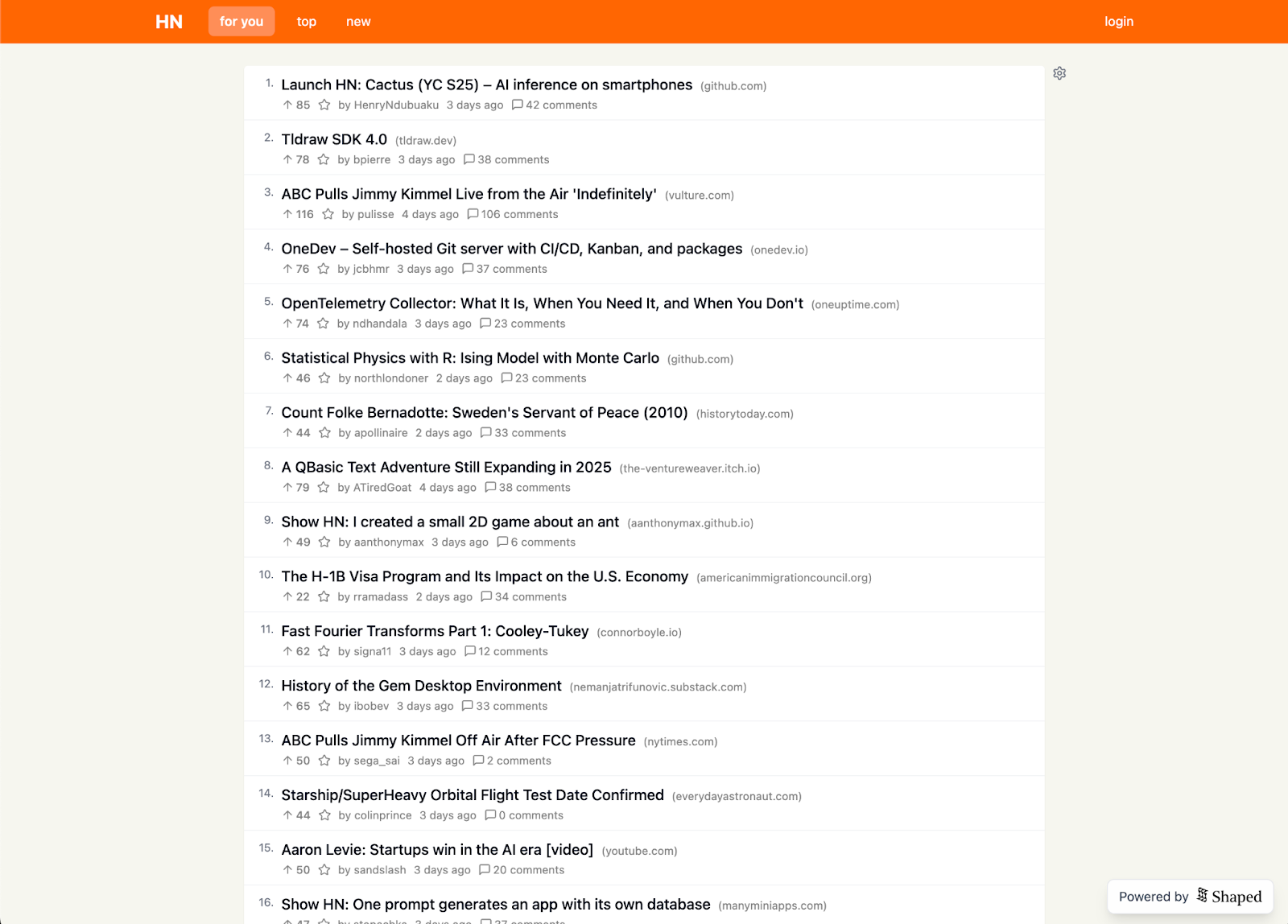
Replace the static "top" feed with a dynamic, personalized "For You" feed.
Step 1: Ranking algorithm
The HackerNews algorithm balances two factors:
- Popularity:
(upvotes - 1) - Recency:
(hours_since_post + 2) ^ 1.8
Formula:
rank = popularity / recency_decay
To add personalization, introduce a content-filtering term that boosts items textually similar to items the user has favorited:
rank = (popularity * (1 + content_similarity)) / recency_decay
Content-filtering is effective with minimal data (works for a single user). Collaborative filtering, which finds similar users, requires more data.
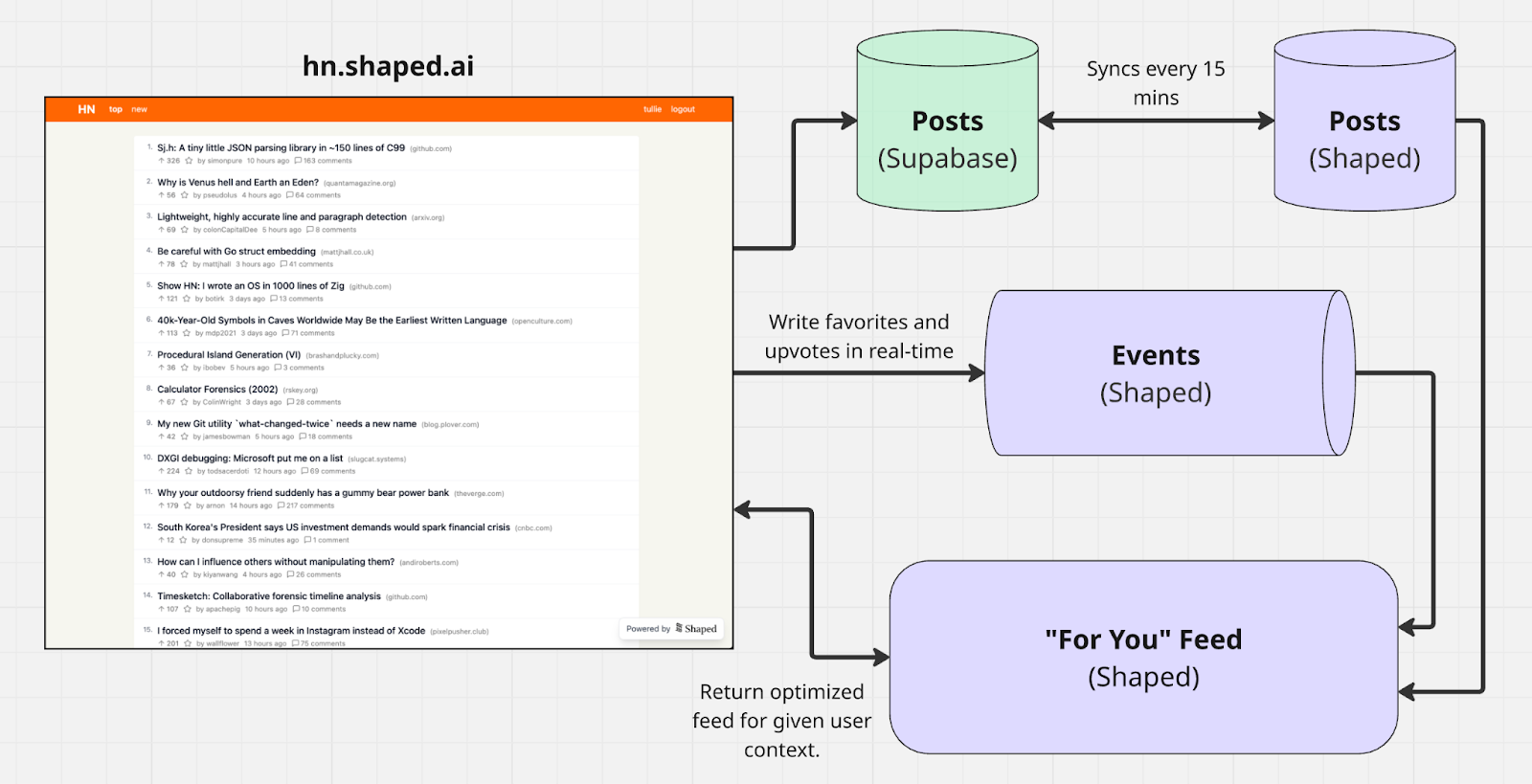
Step 2: Connect data to Shaped
Connect your post and event data:
- Create a Postgres connector in the Shaped dashboard that syncs with your Supabase database every 10 minutes to keep
postsdata current. - Create a Custom API connector for
eventsto provide an HTTP endpoint. - Update your client to send a real-time event to this endpoint when a user favorites an item. This enables in-session personalization.
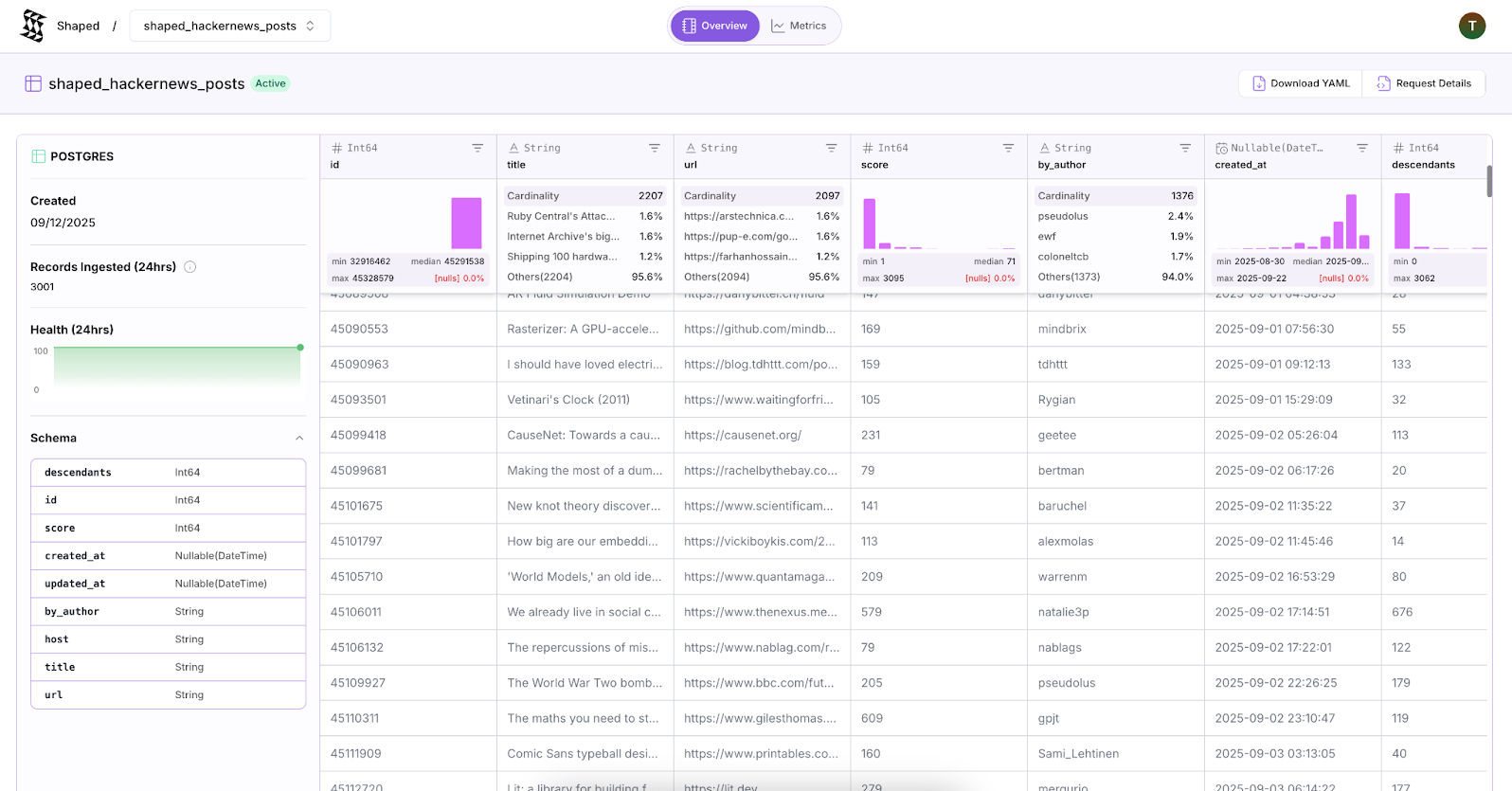
Step 3: Define the engine
An engine is defined by:
datablock: Which tables to use and how to prepare dataindexblock: How to create embeddingsqueriesblock: How to rank results
Data configuration
data:
  item_table:
    type: query
    query: |
      SELECT
        id AS item_id, title, url, score, by_author, published_at,
        descendants, host, updated_at
      FROM (
        SELECT
          id, title, url, score, by_author, published_at,
          descendants, host, updated_at,
          ROW_NUMBER() OVER (PARTITION BY id ORDER BY updated_at DESC) as rn
        FROM shaped_hackernews_posts
      ) AS ranked_items
      WHERE rn = 1
  interaction_table:
    type: query
    query: |
      SELECT
        user_id, item_id, published_at AS created_at, event_type AS event_value,
        (CASE WHEN event_type = 'FAVORITE' THEN 1 ELSE 0 END) AS label
      FROM (
        SELECT
          user_id, item_id, published_at, event_type,
          ROW_NUMBER() OVER (PARTITION BY user_id, item_id ORDER BY published_at DESC) as rn
        FROM shaped_hackernews_events
        WHERE event_type IN ('FAVORITE', 'UNFAVORITE')
      ) AS ranked_events
      WHERE rn = 1 AND event_type = 'FAVORITE'
Index configuration
Define text embeddings for content-based similarity:
index:
  embeddings:
    - name: text_embedding
      encoder:
        type: hugging_face
        model_name: Alibaba-NLP/gte-modernbert-base
        batch_size: 256
        item_fields:
          - title
          - url
You can also define indices for specific columns in your user and item tables to optimize lookup performance.
user_column_indices(array ofColumnIndexConfig, optional): Column index configurations. Should be of the form{table_name: [column_index_config1, column_index_config2, ...]}.item_column_indices(array ofColumnIndexConfig, optional): Column index configurations. Should be of the form{table_name: [column_index_config1, column_index_config2, ...]}.
Example of column index configuration:
index:
  user_column_indices:
    - column: user_id
      index_type: btree
    - column: country
      index_type: bitmap
  item_column_indices:
    - column: item_id
      index_type: btree
    - column: category
      index_type: label_list
ColumnIndexConfig properties:
column(string): The name of the column to create an index for.index_type(string, default:btree): The type of index to create. Options includebtree,bitmap,label_list,fts.
Queries configuration
Define saved queries with custom ranking formulas:
queries:
  personalized_feed:
    params:
      user_id:
        type: string
        required: true
      limit:
        type: number
        default: 30
    query: |
      SELECT *
      FROM column_order(columns='published_at DESC', limit=300)
      ORDER BY score(expression='(item.score - 1) * (1 + cosine_similarity(text_encoding(item, embedding_ref=''text_embedding''), pooled_text_encoding(user.recent_interactions, pool_fn=''mean'', embedding_ref=''text_embedding''))) / (((now_seconds() - item.published_at) / 3600) + 2) ** 1.8', input_user_id='$user_id', input_interactions_item_ids='$interaction_item_ids')
      LIMIT $limit
The cosine_similarity() function computes similarity between each candidate item's text embedding and a user's taste profile. The pooled_text_encoding(user.recent_interactions) function creates this profile by averaging text embeddings of the last 30 items the user favorited.
Test the engine:
curl -X POST "https://api.shaped.ai/v2/engines/hackernews_for_you/queries/personalized_feed" \
  -H "x-api-key: <YOUR-API-KEY>" \
  -H "Content-Type: application/json" \
  --data '{
    "parameters": {
      "user_id": "tullie",
      "limit": 30
    },
    "return_metadata": true
  }'
Or use an ad-hoc query:
curl -X POST "https://api.shaped.ai/v2/engines/hackernews_for_you/query" \
  -H "x-api-key: <YOUR-API-KEY>" \
  -H "Content-Type: application/json" \
  --data '{
    "query": "SELECT * FROM column_order(columns=''published_at DESC'', limit=300) ORDER BY score(expression=''(item.score - 1) * (1 + cosine_similarity(text_encoding(item, embedding_ref=''''text_embedding''''), pooled_text_encoding(user.recent_interactions, pool_fn=''''mean'''', embedding_ref=''''text_embedding=''''))) / (((now_seconds() - item.published_at) / 3600) + 2) ** 1.8'', input_user_id=''$user_id'', input_interactions_item_ids=''$interaction_item_ids'') LIMIT 30",
    "parameters": {
      "user_id": "tullie"
    },
    "return_metadata": true
  }'
Step 4: Integrate the feed
Add a "For You" tab to your web client that calls the Shaped Query API endpoint.
Value model expressions can be modified in real-time without redeployment. Example variations:
Top Feed (HackerNews Classic):
SELECT *
FROM column_order(columns='published_at DESC', limit=300)
ORDER BY score(expression='(item.score - 1) / ((((now_seconds() - item.published_at) / 3600) + 2) ** 1.8)', input_user_id='$user_id', input_interactions_item_ids='$interaction_item_ids')
LIMIT 30
Personalized Feed (Balanced):
SELECT *
FROM column_order(columns='published_at DESC', limit=300)
ORDER BY score(expression='((item.score / 1000) + cosine_similarity(text_encoding(item, embedding_ref=''text_embedding''), pooled_text_encoding(user.recent_interactions, pool_fn=''mean'', embedding_ref=''text_embedding''))) / ((((now_seconds() - item.published_at) / 3600) + 2) ** 1.8)', input_user_id='$user_id', input_interactions_item_ids='$interaction_item_ids')
LIMIT 30
The / 1000 term normalizes item.score values to a similar scale as cosine_similarity scores, preventing popularity from dominating the personalization signal.
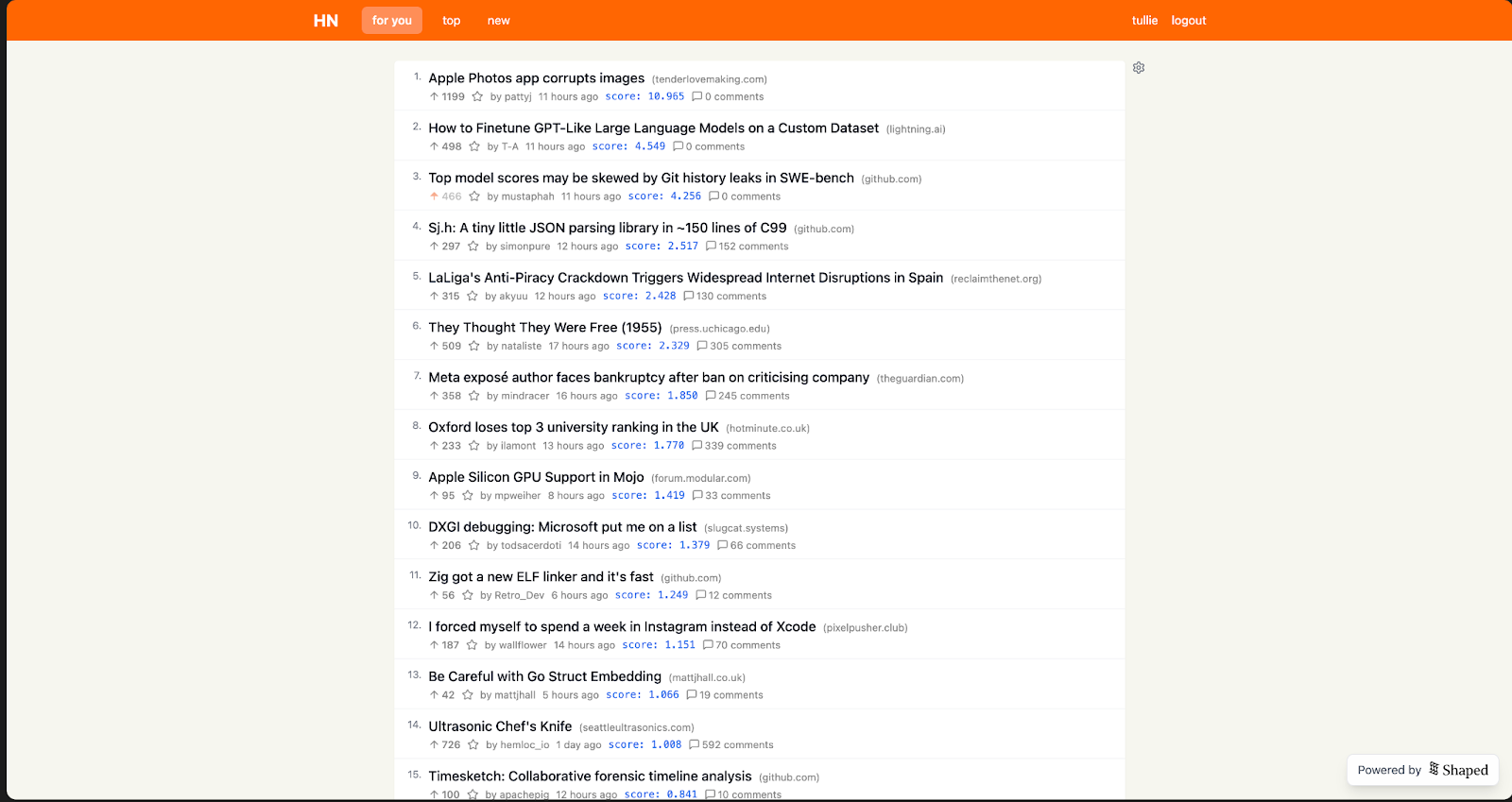
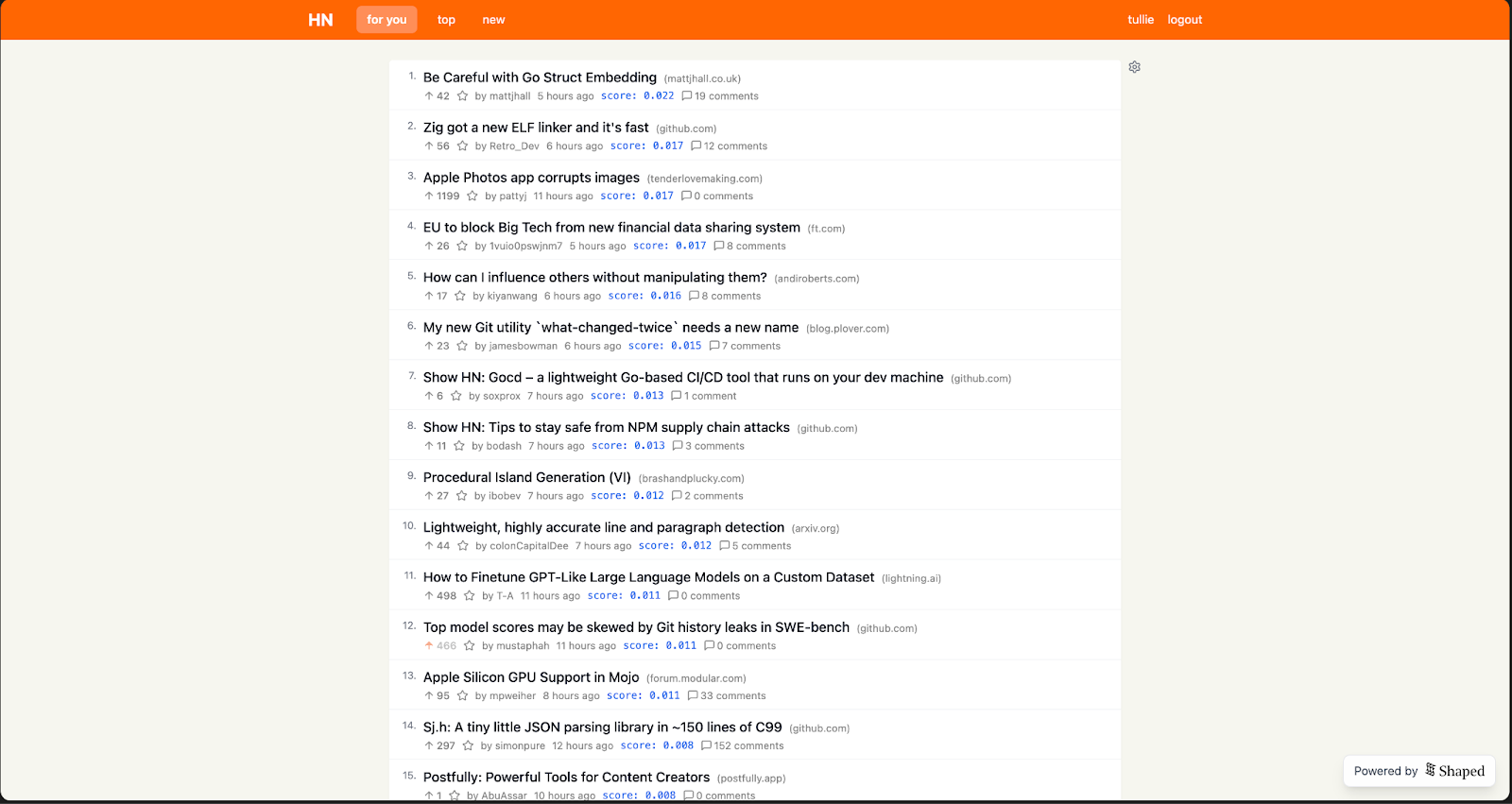
The top screenshot shows the top feed; the bottom shows the personalized feed. The personalized feed boosts AI-related content higher in the ranking.
Extensions
Possible enhancements:
- Collaborative filtering: Once sufficient user data is available, introduce collaborative filtering to find items popular among similar users
- Exploration: Use multi-armed bandit algorithms for more intelligent content exploration
- Semantic search: Replace keyword search with vector search using Shaped's Query API
- User configurability: Allow users to adjust ranking formulas in the UI