Code with agents
All our APIs are self-documented and can be consumed by AI agents. You can use an agent like Cursor or Claude Code to complete any of the tutorials and setup in this documentation.
Agent instructions
The following scripts will install agent context to give your agent details and direction on how to use the Shaped APIs.
Cursor, Copilot, Gemini, Warp, etc.
Agents that support the AGENTS.md standard can use the following command to install agent context to the current project directory. Learn about the standard.
curl -sSL https://docs.shaped.ai/agents/install.sh | sh
Claude Code
Claude Code uses the CLAUDE.md file. Install it here:
curl -sSL https://docs.shaped.ai/agents/claude.sh | sh
MCP Server
We ship an MCP server that agents can use to do read and write operations in Shaped. It contains full CRUD support for tables, engines and views, and has programmatic access to our query endpoints.
Use it with HTTP transport or as a local service.
Use this URL for HTTP transport:
https://mcp.shaped.ai
Or install it via pip for local development (stdio transport):
pip install shaped-mcp
Add MCP to Cursor
Cursor manages MCP server config in an mcp.json file at the project- or global level. Open it via Cmd+Shift+P -> "Open MCP Settings" -> "New MCP Server".
Use HTTP transport to connect to our hosted endpoint:
{
  "mcpServers": {
    "shaped-mcp": {
      "transport": "http",
      "url": "https://mcp.shaped.ai",
      "headers": {
        "Authorization": "Bearer YOUR_API_KEY"
      }
    }
  }
}
Or this for local stdio transport (shaped-mcp command):
{
  "mcpServers": {
    "shaped": {
      "command": "shaped-mcp",
      "env": {
        "SHAPED_API_KEY": "my_shaped_api_key"
      }
    }
  }
}
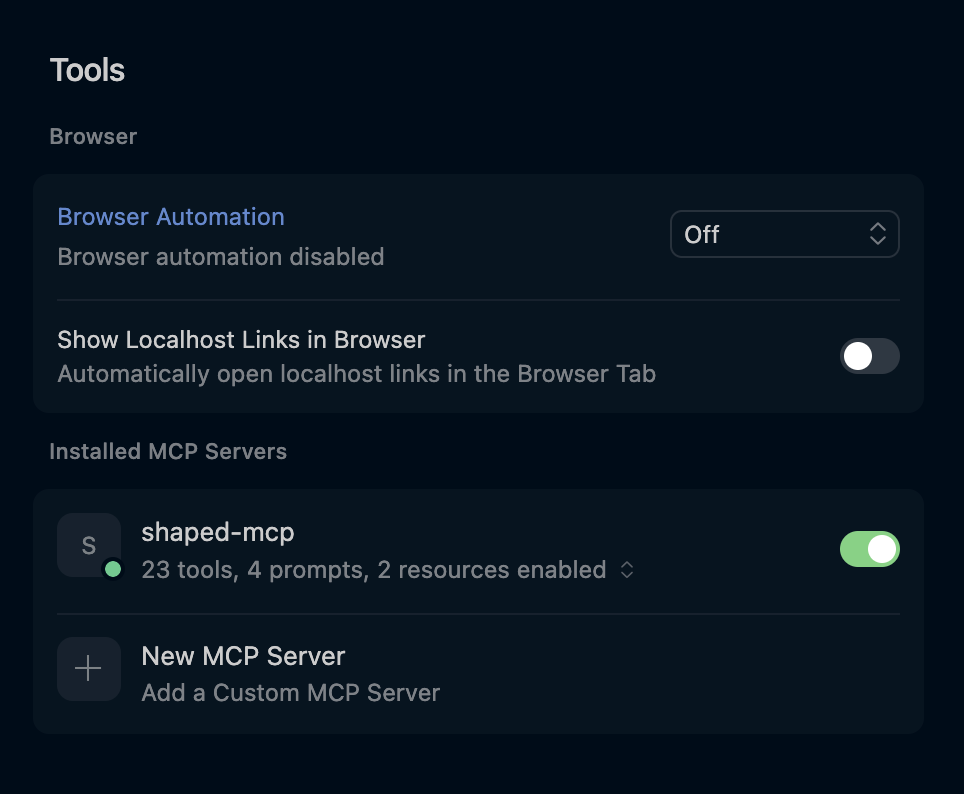
Then enable the MCP server in MCP settings:
Claude setup
Use the Claude CLI to add the MCP server and configure your API key:
claude mcp add --transport http shaped-api https://mcp.shaped.ai \
  --header "Authorization: Bearer your-token"